
How to Generate Sample Data in PostgreSQL (The Easy Way)
Every developer reaches a point where they need fake data — lots of it. To test performance. To try out queries. To build demos. To break things in a safe environment.
The good news: PostgreSQL is really good at generating sample data. You don’t need Python, Excel, or a giant CSV — you can do everything right inside SQL.
1. Generate Rows Using generate_series
The simplest way to create sample data is with PostgreSQL’s built-in generate_series function. It produces rows of numbers (or timestamps), which you can turn into anything you want.
Create 1,000 fake users:
CREATE TABLE demo_user (
  user_id     INT PRIMARY KEY,
  first_name  TEXT,
  last_name   TEXT,
  created_at  TIMESTAMP
);

INSERT INTO demo_user (user_id, first_name, last_name, created_at)
SELECT
  id,
  'User' || id,
  'Test' || id,
  NOW() - (id || ' days')::interval
FROM generate_series(1, 1000) AS id;
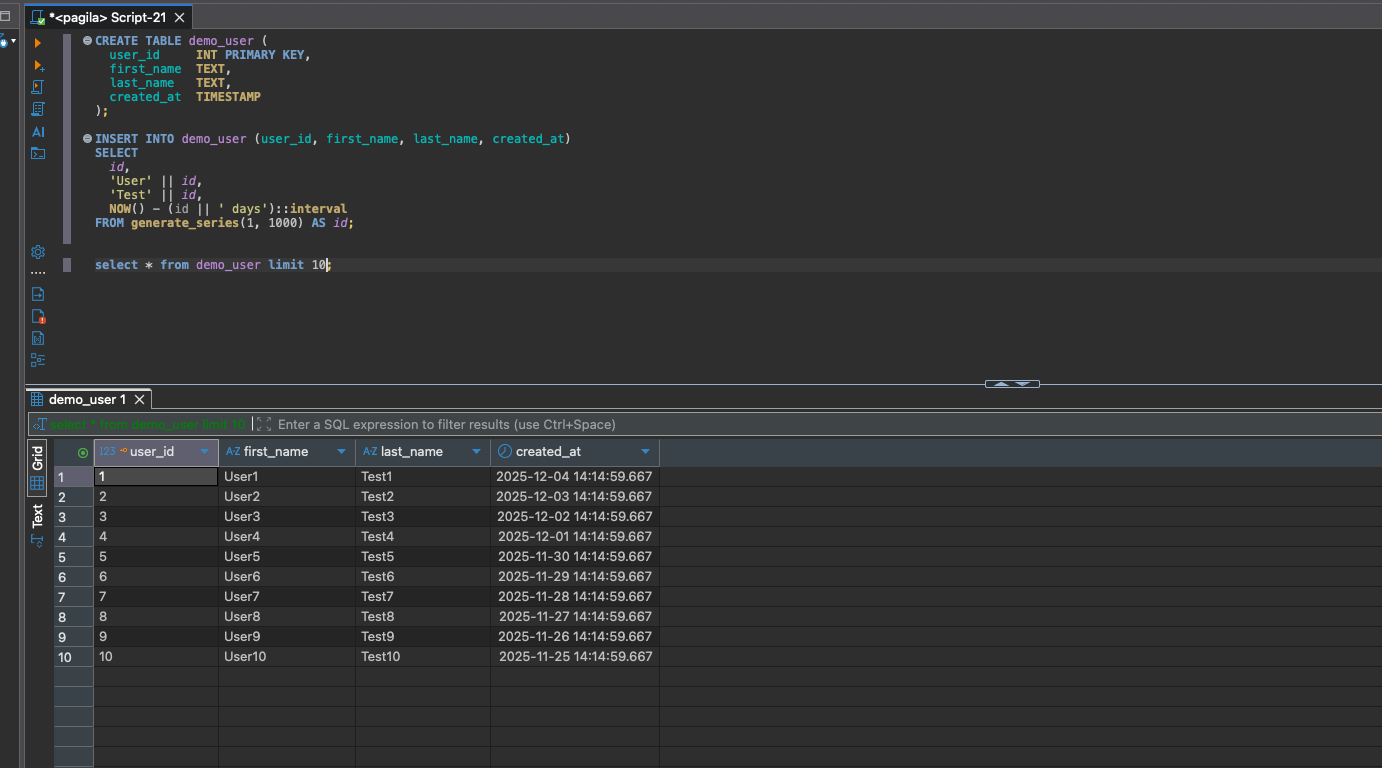
In seconds, you have a table full of predictable, structured sample data.
2. Add Random Values with random()
PostgreSQL includes a built-in random number generator. Combine it with generate_series and you can create sample datasets that feel real.
Create 5,000 random payments:
CREATE TABLE demo_payment (
  payment_id  SERIAL PRIMARY KEY,
  user_id     INT,
  amount      NUMERIC(5,2),
  paid_at     TIMESTAMP
);

INSERT INTO demo_payment (user_id, amount, paid_at)
SELECT
  (random() * 1000)::int + 1,            -- random user_id 1–1001
  round((random() * 50)::numeric, 2),    -- $0.00 – $50.00
  NOW() - (random() * 30 || ' days')::interval
FROM generate_series(1, 5000);
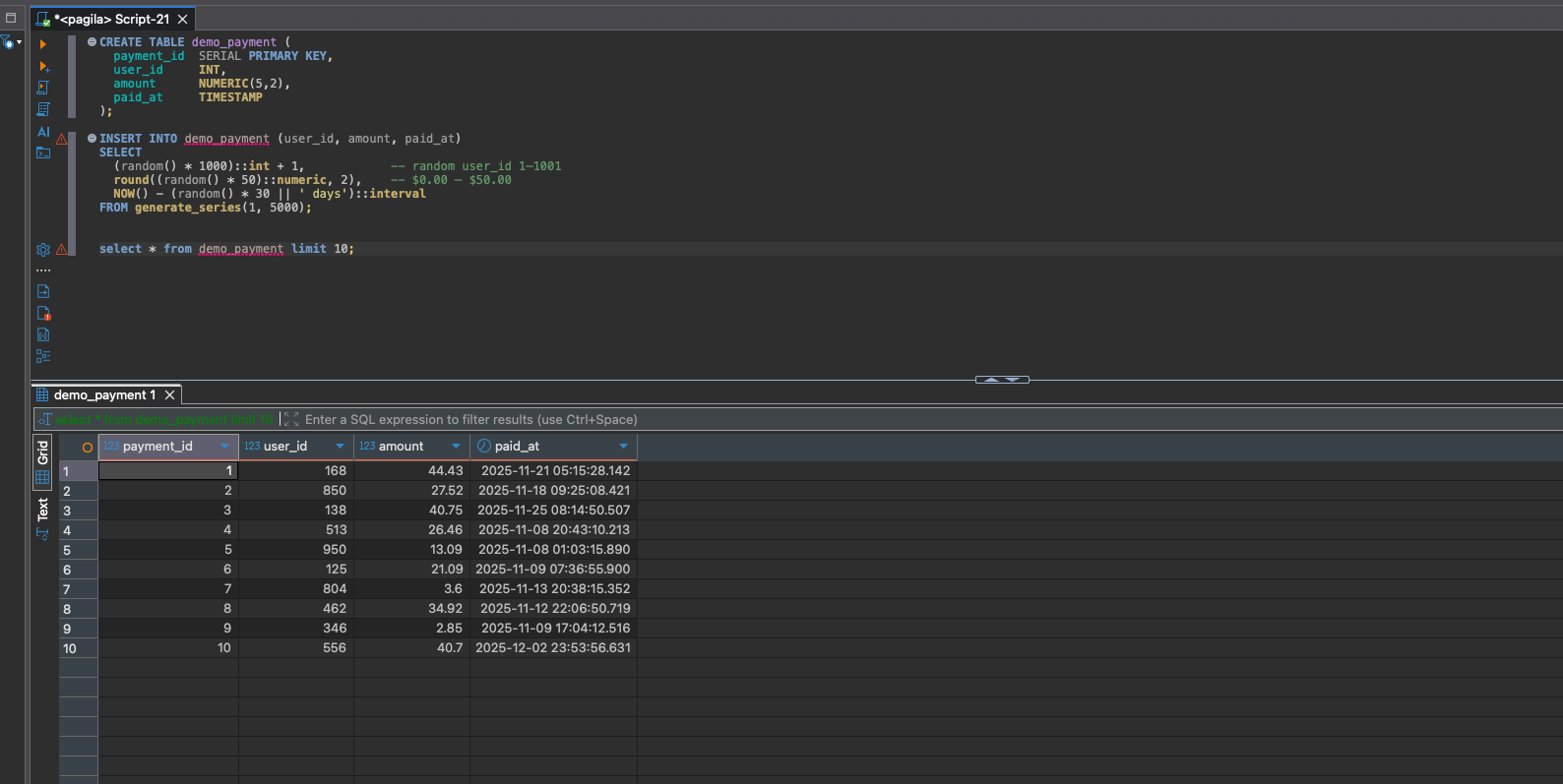
Randomized data is perfect for testing indexes, filtering, aggregates, and performance.
3. Generate Text, Emails, and More
With a little creativity, you can generate realistic strings — emails, phone numbers, cities, anything.
CREATE TABLE demo_customer (
  customer_id SERIAL PRIMARY KEY,
  full_name   TEXT,
  email       TEXT,
  city        TEXT
);

INSERT INTO demo_customer (full_name, email, city)
SELECT
  'Customer ' || id,
  'customer' || id || '@example.com',
  (ARRAY['Boston','Chicago','Dallas','Miami','Seattle'])[floor(random()*5)+1]
FROM generate_series(1, 500) AS id;
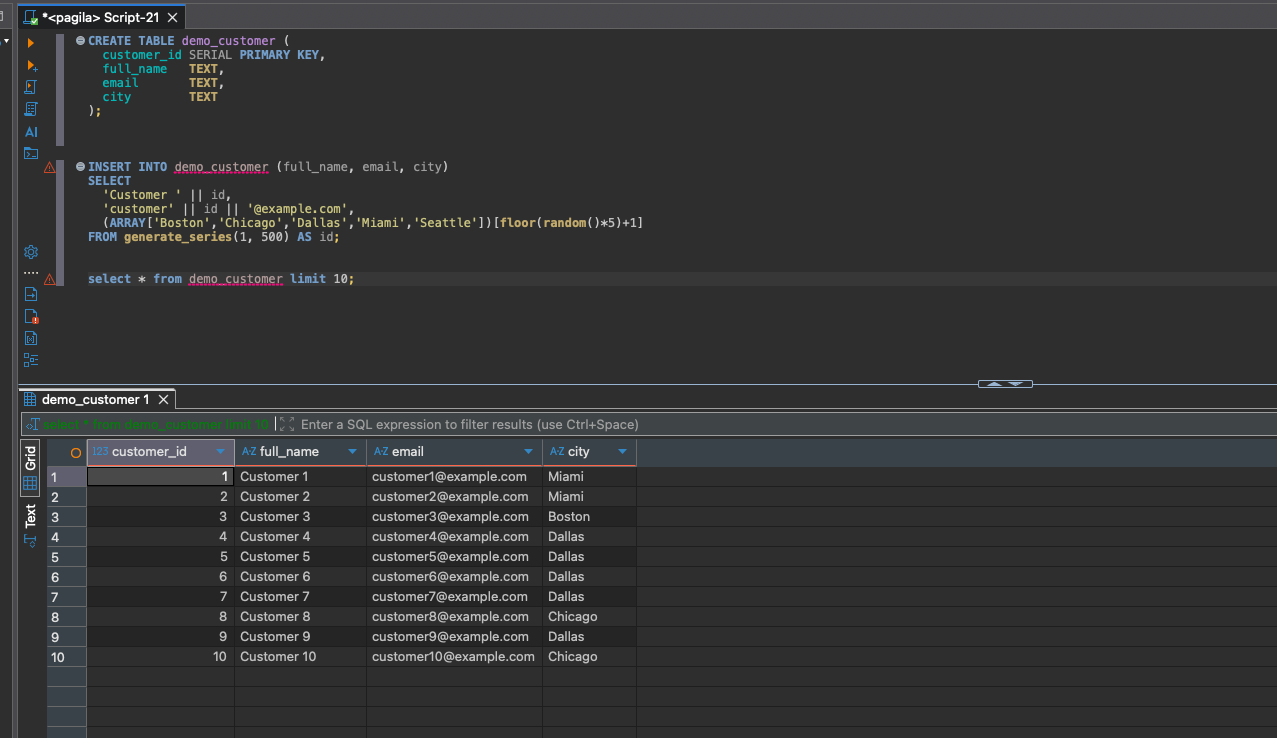
Arrays + random() give you instant “pick one value from this list” behavior.
4. Generate Timestamp Ranges
Need a table full of hourly, daily, or minute-by-minute timestamps? generate_series can do that too.
Generate 24 hours of timestamps:
SELECT generate_series(
  NOW() - interval '24 hours',
  NOW(),
  interval '1 hour'
) AS hour_bucket;
This is incredibly useful for analytics, reporting, and time-based testing.
5. Bulk-Load Data into Existing Tables (Pagila Example)
If you want to expand the Pagila database with synthetic rentals, here’s a simple pattern.
INSERT INTO rental (rental_date, inventory_id, customer_id, staff_id)
SELECT
  NOW() - (random() * 10 || ' days')::interval,
  (SELECT inventory_id FROM inventory ORDER BY random() LIMIT 1),
  (SELECT customer_id  FROM customer  ORDER BY random() LIMIT 1),
  1
FROM generate_series(1, 2000);
This instantly adds 2,000 realistic rentals spread across random inventory and customers.
6. Bonus: Generate Data with Correlated Fields
Sometimes “fully random” isn’t realistic enough. You might want higher spend for some users, or customers who rent more often.
Example: 20% of users spend more money.
INSERT INTO demo_payment (user_id, amount, paid_at)
SELECT
  id,
  CASE
    WHEN random() < 0.2 THEN round((random() * 200)::numeric, 2) -- bigger spenders
    ELSE round((random() * 50)::numeric, 2)
  END,
  NOW() - (random() * 10 || ' days')::interval
FROM generate_series(1, 1000) AS id;
Suddenly your data has patterns — perfect for analytics demos, machine learning practice, or dashboard testing!
Conclusion
PostgreSQL makes generating sample data fast and fun. Whether you need predictable datasets, random values, realistic user data, or time-series ranges, you can do it all with a few lines of SQL.
Use these patterns whenever you need to prototype, test, or teach — no CSV imports required. And once you master generate_series + random(), you can model almost anything!





