
PostgreSQL Locking for Humans
PostgreSQL locking feels scary — mostly because the documentation lists 15 different lock modes, half of which sound like they were named during a caffeine-fueled meeting. But here’s the truth: you only need to understand a few key concepts to debug almost every lock issue you’ll ever encounter.
In this guide, I’ll walk you through PostgreSQL row locks, table locks, which statements create which locks, and how to inspect what’s blocking what using real examples from the Pagila database.
1. Row Locks: The Most Common Type
When you update or delete a row, PostgreSQL takes a row-level lock on that specific row. These locks prevent conflicts between concurrent transactions without blocking the entire table.
The two row locks you’ll see the most:
- FOR UPDATE — blocks others from updating or deleting the same row.
- FOR SHARE — lets others read, but not modify, the locked row.
Example using Pagila’s customer table:
BEGIN;

SELECT *
FROM customer
WHERE customer_id = 42
FOR UPDATE;
Now, if another session tries to run an update on this same customer:
UPDATE customer
SET last_name = 'Smith'
WHERE customer_id = 42;
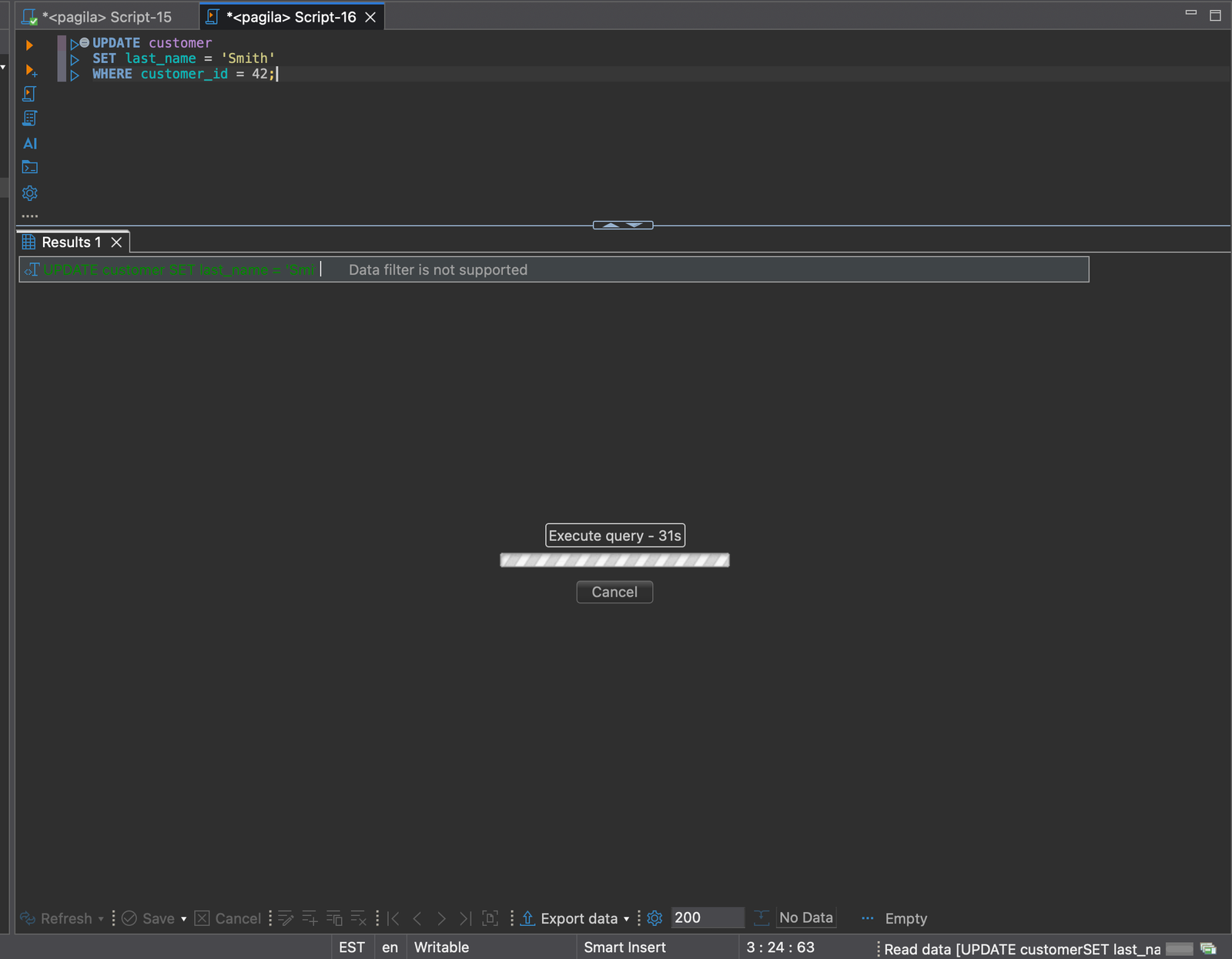
It waits — because your first transaction owns the row-level lock.
Takeaway: Row locks are good. They’re lightweight. They're why PostgreSQL handles concurrency so well.
2. Table Locks: The Ones That Cause the Pain
Unlike row locks, table locks protect entire tables. You don’t see them often, but when you do, something is probably stuck.
The most common table locks you’ll encounter:
- AccessShareLock — taken by SELECT
- RowShareLock — taken by SELECT ... FOR UPDATE/SHARE
- ShareLock — taken by CREATE INDEX CONCURRENTLY
- ExclusiveLock — taken by ALTER TABLE
- AccessExclusiveLock — blocks everything; taken by ALTER TABLE ADD COLUMN
Most everyday statements only take lightweight locks. But schema changes? Those take AccessExclusiveLock, which blocks reads and writes.
ALTER TABLE customer ADD COLUMN loyalty_level TEXT;
If any long-running transaction is touching the table, this statement waits — and every writer behind it also waits. This is where lock pileups come from.
3. Lock Compatibility — What Can Run Together?
PostgreSQL decides whether two locks can co-exist based on a compatibility matrix. But you don’t need the whole matrix — just a few rules:
- SELECTs NEVER block other SELECTs.
- SELECT FOR UPDATE blocks updates and deletes on the same rows.
- ALTER TABLE blocks EVERYTHING.
- Long-running idle transactions are the #1 cause of blocking.
Yes — even a transaction doing nothing (idle in transaction) can hold locks for minutes or hours.
4. How to See Which Locks Are Active
PostgreSQL gives you a super helpful view: pg_locks. Pair it with pg_stat_activity and you have everything you need.
SELECT
  a.pid,
  a.query,
  a.state,
  l.locktype,
  l.mode,
  l.granted
FROM pg_locks l
JOIN pg_stat_activity a ON l.pid = a.pid
ORDER BY a.pid;
This shows who holds what lock and who is waiting. But for spotting blocking chains, here’s the money query:
SELECT
  blocked.pid       AS blocked_pid,
  blocked.query     AS blocked_query,
  blocking.pid      AS blocking_pid,
  blocking.query    AS blocking_query
FROM pg_locks blocked_l
JOIN pg_stat_activity blocked ON blocked.pid = blocked_l.pid
JOIN pg_locks blocking_l
  ON blocking_l.locktype = blocked_l.locktype
  AND blocking_l.database IS NOT DISTINCT FROM blocked_l.database
  AND blocking_l.relation IS NOT DISTINCT FROM blocked_l.relation
  AND blocking_l.pid != blocked_l.pid
JOIN pg_stat_activity blocking ON blocking.pid = blocking_l.pid
WHERE NOT blocked_l.granted
  AND blocking_l.granted;
This will tell you exactly who is blocking who!!
5. When Locks Go Bad (Real Example From Pagila)
Let's reproduce a common locking problem using the payment table.
Session 1: start a transaction and update a row
BEGIN;

UPDATE payment
SET amount = amount + 1
WHERE payment_id = 1000;
Session 2: try to delete the same row
DELETE FROM payment
WHERE payment_id = 1000;
Session 2 now waits — you have a straightforward row-level conflict.
But watch what happens if you run a schema change at the same time:
ALTER TABLE payment ADD COLUMN notes TEXT;
That ALTER TABLE needs an AccessExclusiveLock. It can’t get it because Session 1 is still holding a RowExclusiveLock (from the UPDATE). Now every writer behind the ALTER TABLE gets blocked too. Welcome to a lock pileup!
6. How to Avoid Locking Problems
- Keep transactions short. Nothing causes more locking pain than a transaction sitting open for minutes doing nothing.
- Use SELECT … FOR UPDATE sparingly. Only lock the rows you actually need, not the whole table.
- Schedule heavy schema changes during quiet periods. ALTER TABLE needs an AccessExclusiveLock and will wait on every active transaction.
- Prefer CREATE INDEX CONCURRENTLY for big indexes. It avoids blocking writes and keeps your application responsive during deployment.
- Check pg_locks and pg_stat_activity before deploying changes. Long-running idle transactions are the #1 cause of surprise lock pileups.
Conclusion
PostgreSQL’s locking system is incredibly powerful, but you don’t need a PhD to understand it. If you know the difference between row locks and table locks, learn which operations take heavyweight locks, and know how to inspect blocking sessions, you can diagnose almost any concurrency issue in minutes.
Follow the rules in this guide and you’ll avoid deadlocks, eliminate lock pileups, and keep your PostgreSQL database fast and healthy — even under heavy load!





